
AI Chat that deflects
A front-end widget answers visitors from your knowledge base with source links, and escalates into a ticket — with the transcript — only when a human is needed.
AI customer support for WordPress
Answyr is AI-powered customer support, end to end: self-serve chat that deflects common questions, and AI-assisted replies that help your agents respond faster — all on one AI core, grounded in a knowledge base you own.
Free on WordPress.org · Bring your own AI key · No credit card
One plugin, two surfaces
Everything runs on a shared AI core grounded in your knowledge base.
A front-end widget answers visitors from your knowledge base with source links, and escalates into a ticket — with the transcript — only when a human is needed.
A native, customizable knowledge base grounds every AI answer. Keep it internal for the AI and your agents, or publish it for customers with a shortcode.
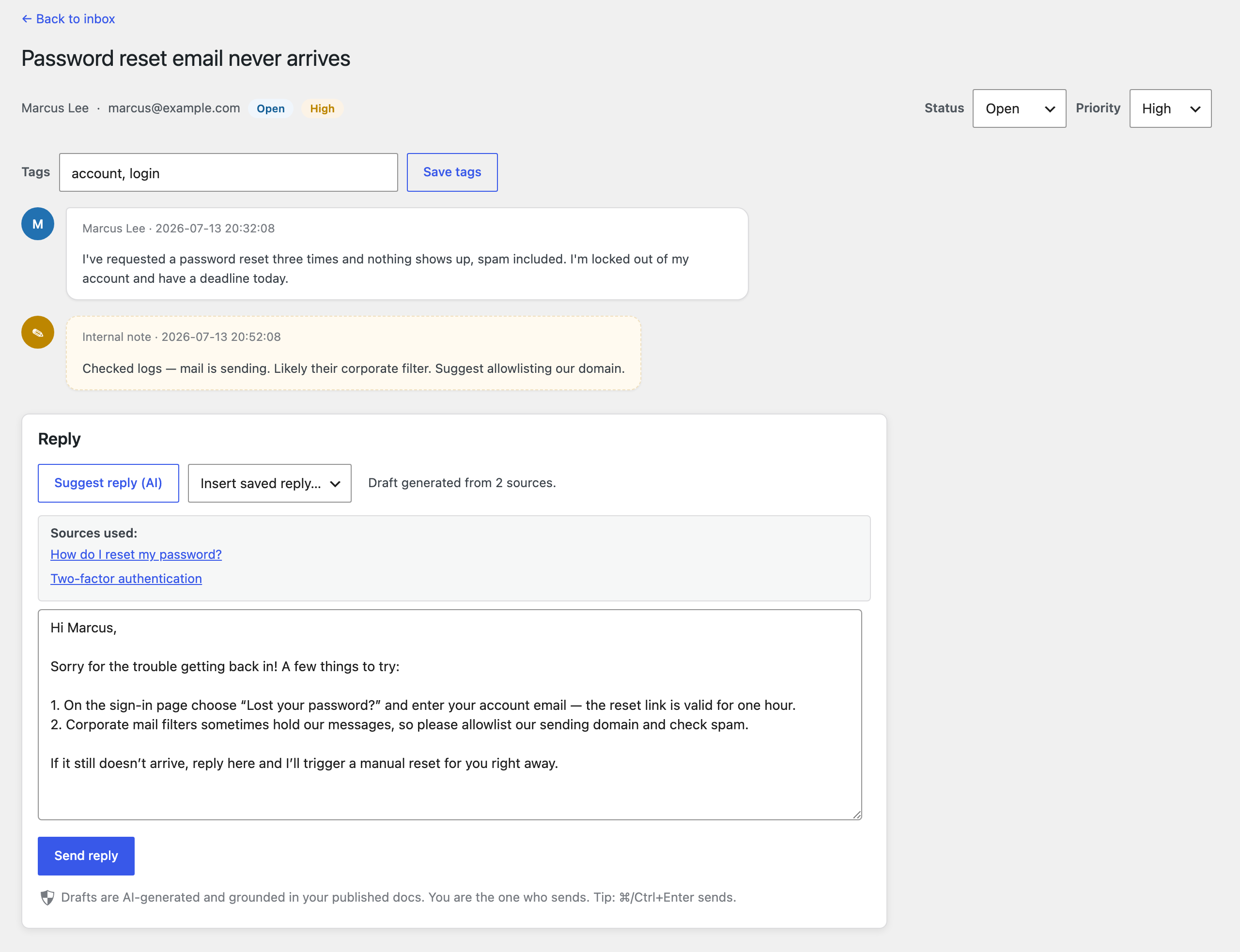
The Desk inbox drafts replies grounded in your docs, with cited sources. A human edits and sends — nothing goes out automatically.
Open → pending → resolved → closed, with priority, tags, filters, search, saved replies, internal notes, and a customer portal.
Volume, new tickets, average first-response time, satisfaction (CSAT), and a by-status breakdown — a quick read on how support is doing.
Use your own Anthropic or OpenAI key. Keys are encrypted at rest, and no AI calls are made until you add one — so price stays aligned with cost.
AI Chat
Visitors get instant, grounded answers with links to the docs behind them. When a human is really needed, the chat opens a ticket and carries the transcript across, so nobody repeats themselves.
Explore features →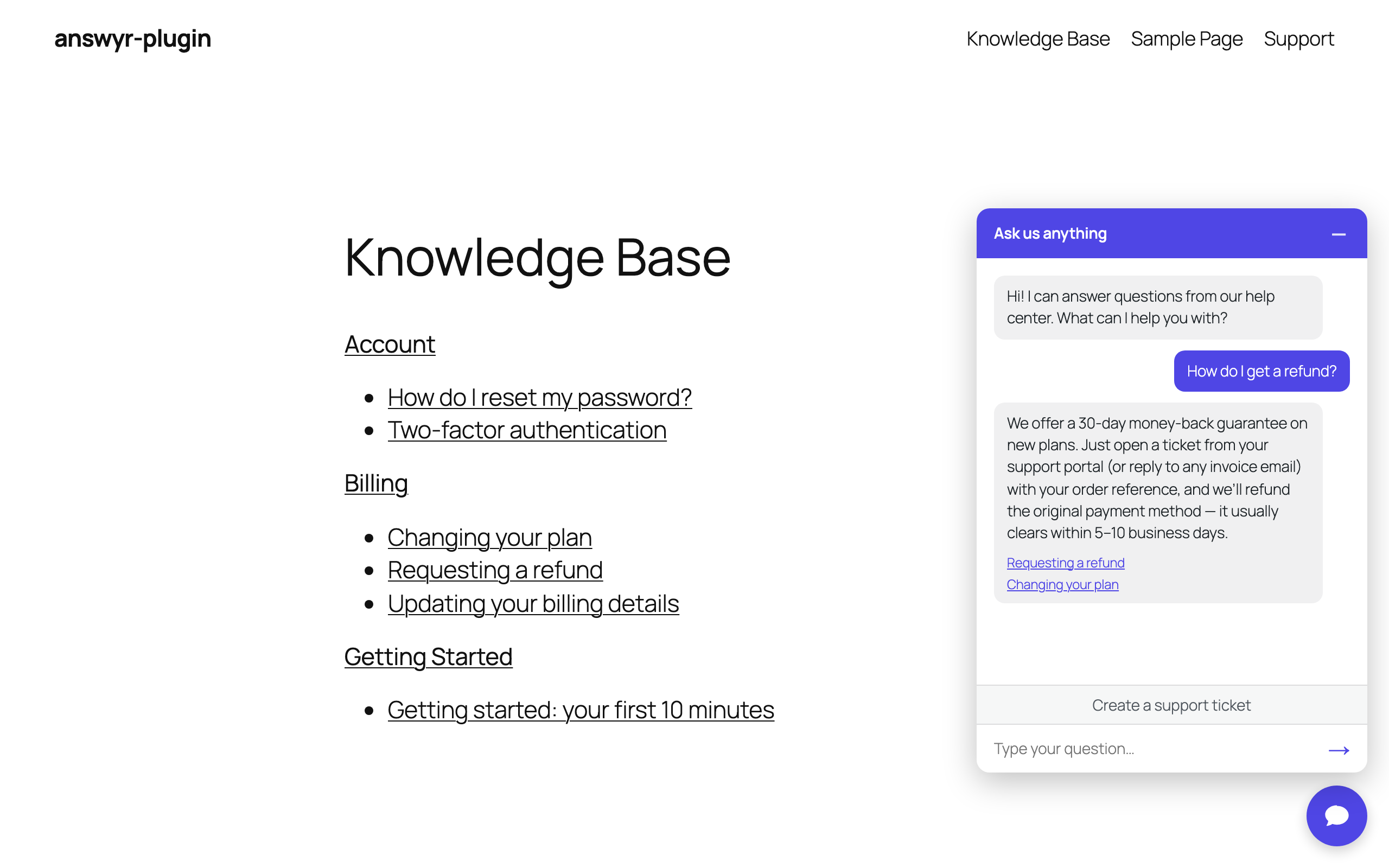
Desk
The inbox drafts a reply grounded in your published docs and shows the sources it used. Your agent edits and sends — you stay in control of every message that reaches a customer.
See the workflow →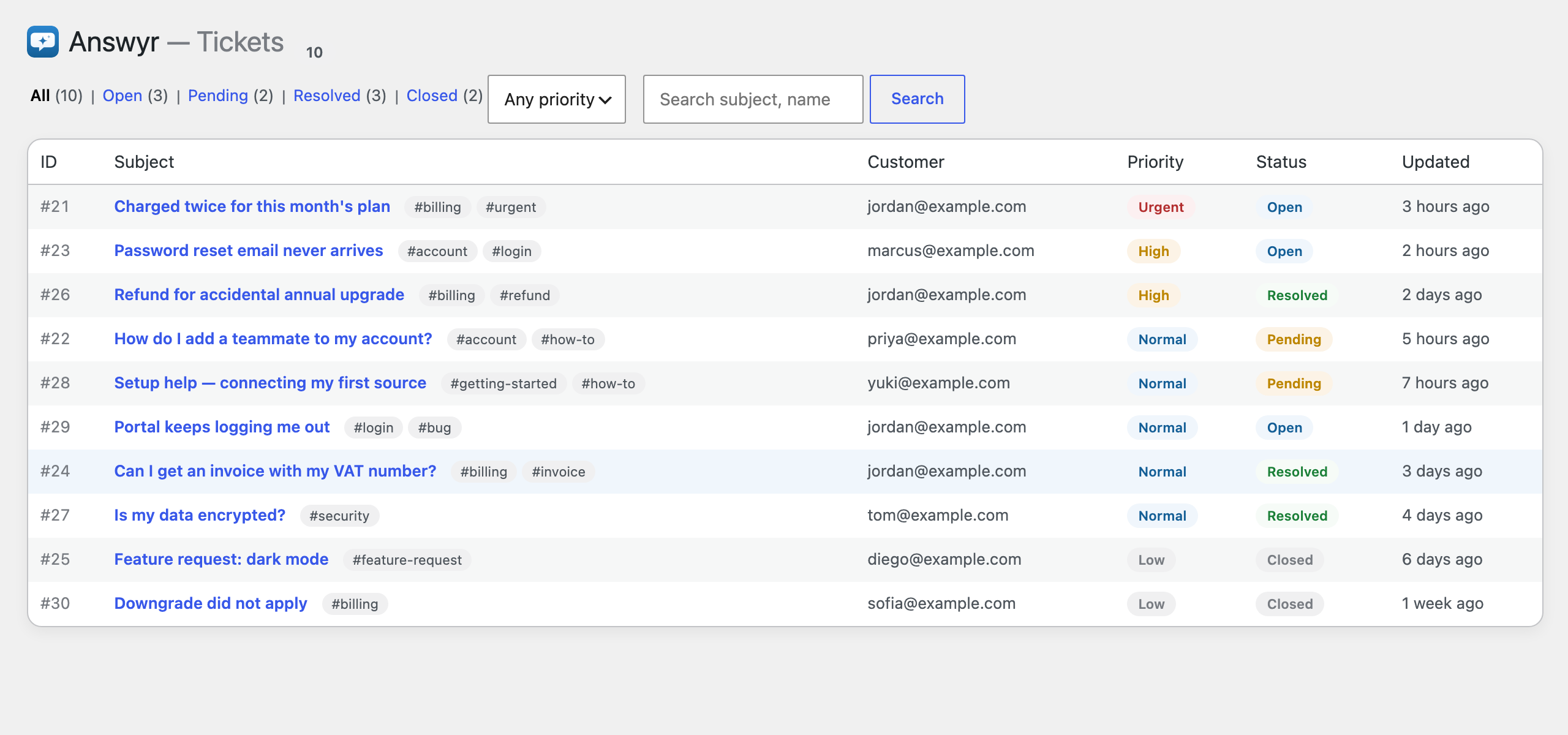
Set up in minutes
Activate the free plugin from WordPress.org and paste your Anthropic or OpenAI key.
Use the built-in knowledge base, or point Answyr at content you already publish.
The chat widget deflects questions; the Desk drafts grounded replies your team vets and sends.
Answyr Pro
Everything in Free, plus deeper AI and analytics for teams that live in their inbox.
Deflection & escalation rates, top questions, and the exact questions your knowledge base failed to answer.
One click suggests tags and a priority for each ticket — accept what fits.
Summarize a long conversation for the agent in a click.
Shape the tone of AI reply drafts and chat answers so they sound like you.
One-click reply + status + tags, and private file attachments on tickets.
Turn a resolved ticket into a draft help-center article, ready to publish.
The full Desk + Chat experience, bring-your-own-key. Upgrade to Pro when you're ready for more.