Features
Everything you need for grounded AI support
One plugin. Desk and Chat over a shared AI core, grounded in a knowledge base you own.
AI Chat
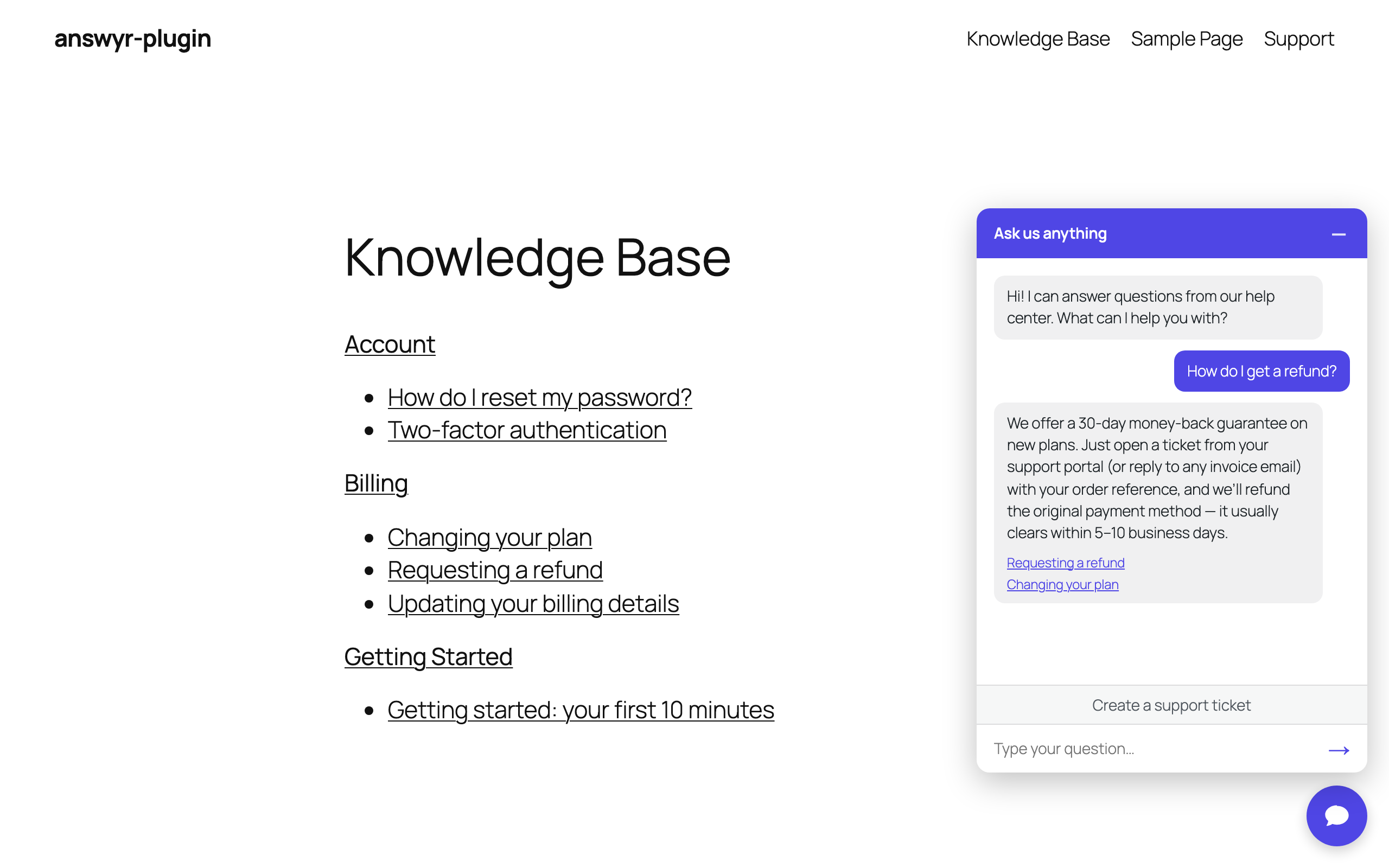
Deflection that knows when to escalate
The front-end widget answers visitors from your knowledge base with source links. When a human is genuinely needed it opens a ticket and attaches the transcript. Customize the title, welcome copy, placeholder, accent color, and whether it shows sitewide or via shortcode.
Desk
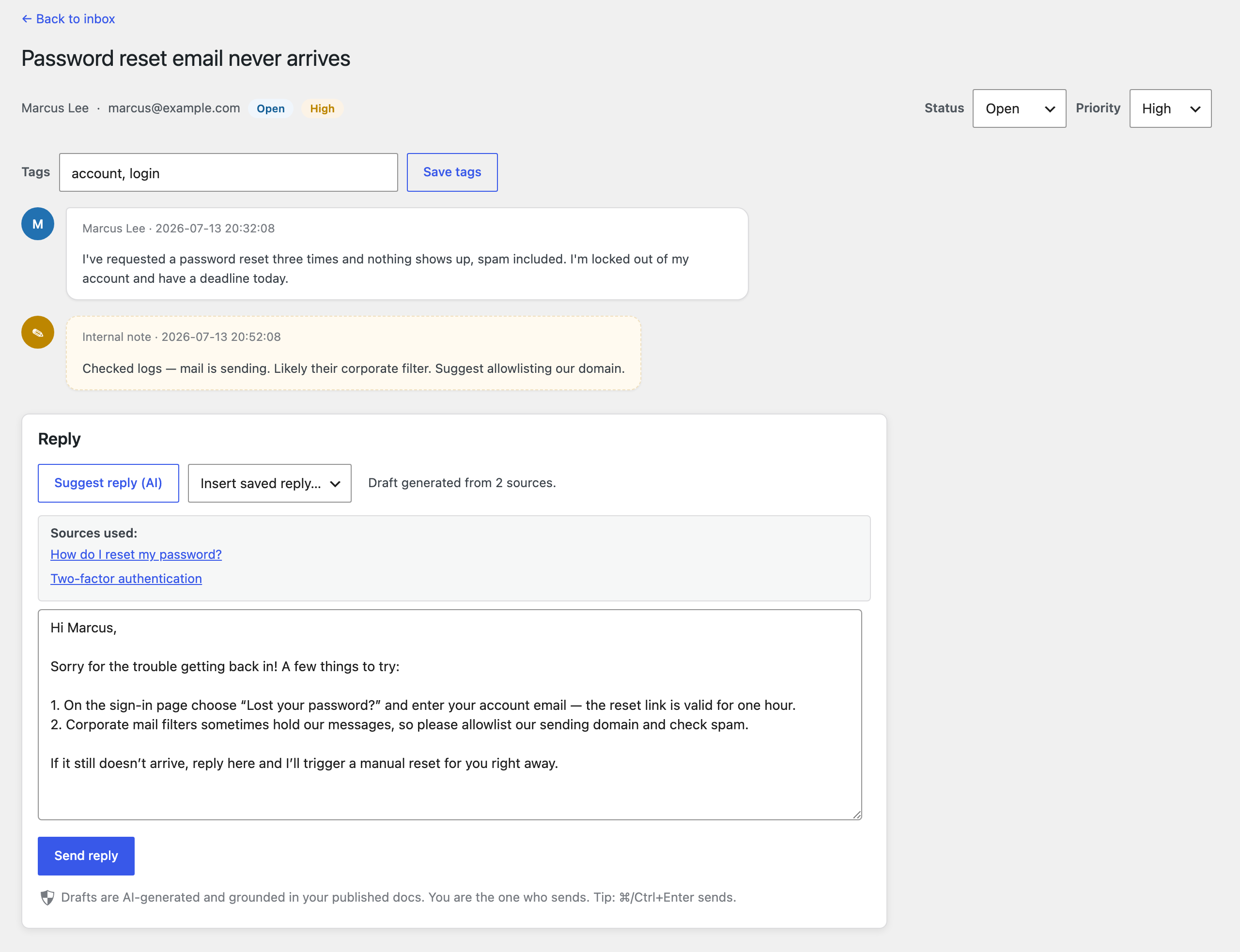
An AI inbox that drafts, never sends
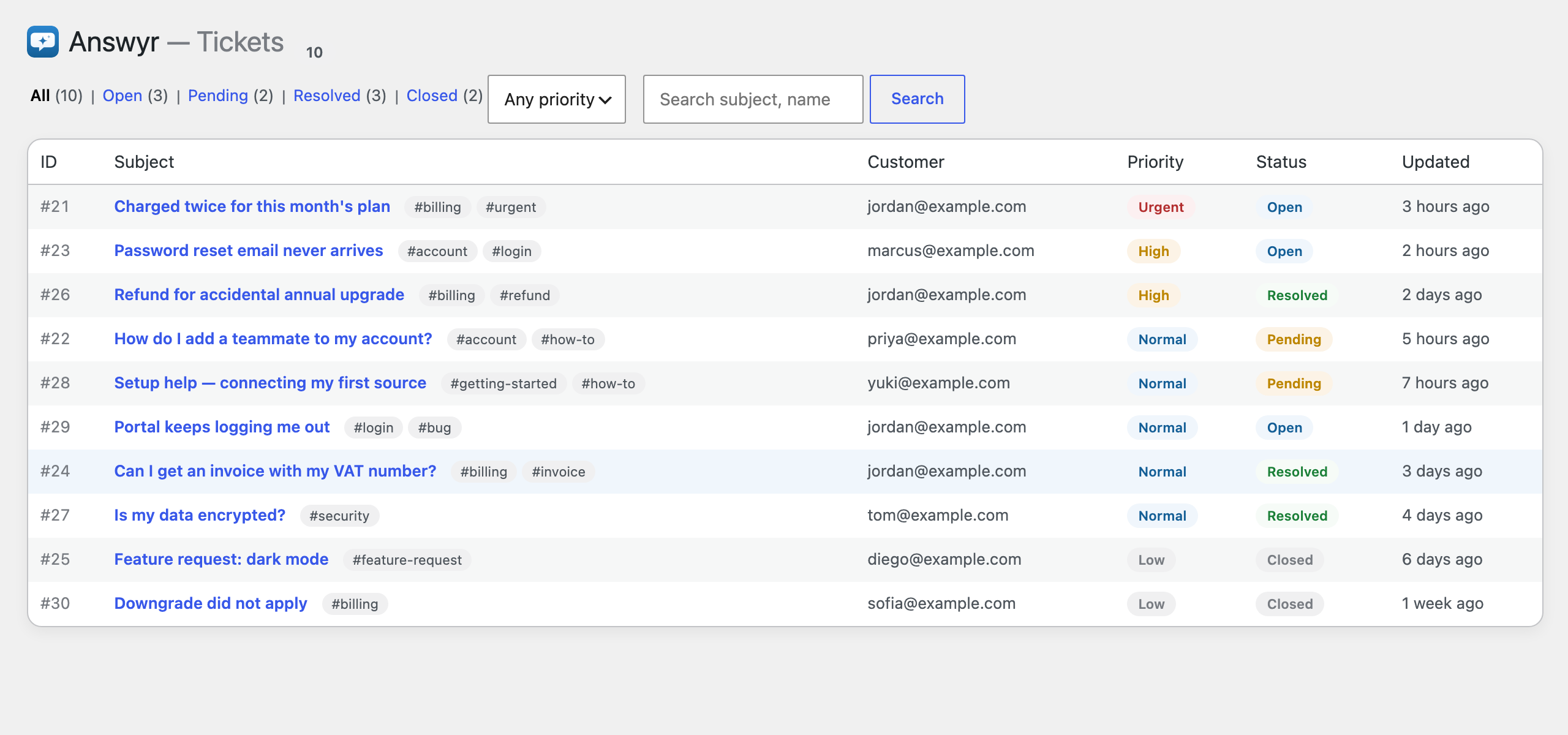
Every ticket gets an AI draft grounded in your published docs, with the sources shown. Full lifecycle (open → pending → resolved → closed), triage with priority, tags, filters, keyword search, saved replies, internal team-only notes, and ⌘/Ctrl+Enter to send.
Knowledge base
The grounding source you own
A native, customizable knowledge base grounds every AI answer. Internal by default for the AI and your agents — or published to customers with the [answyr_kb] shortcode. You can also point the AI at content you already publish.
Customer portal
A branded place to follow up
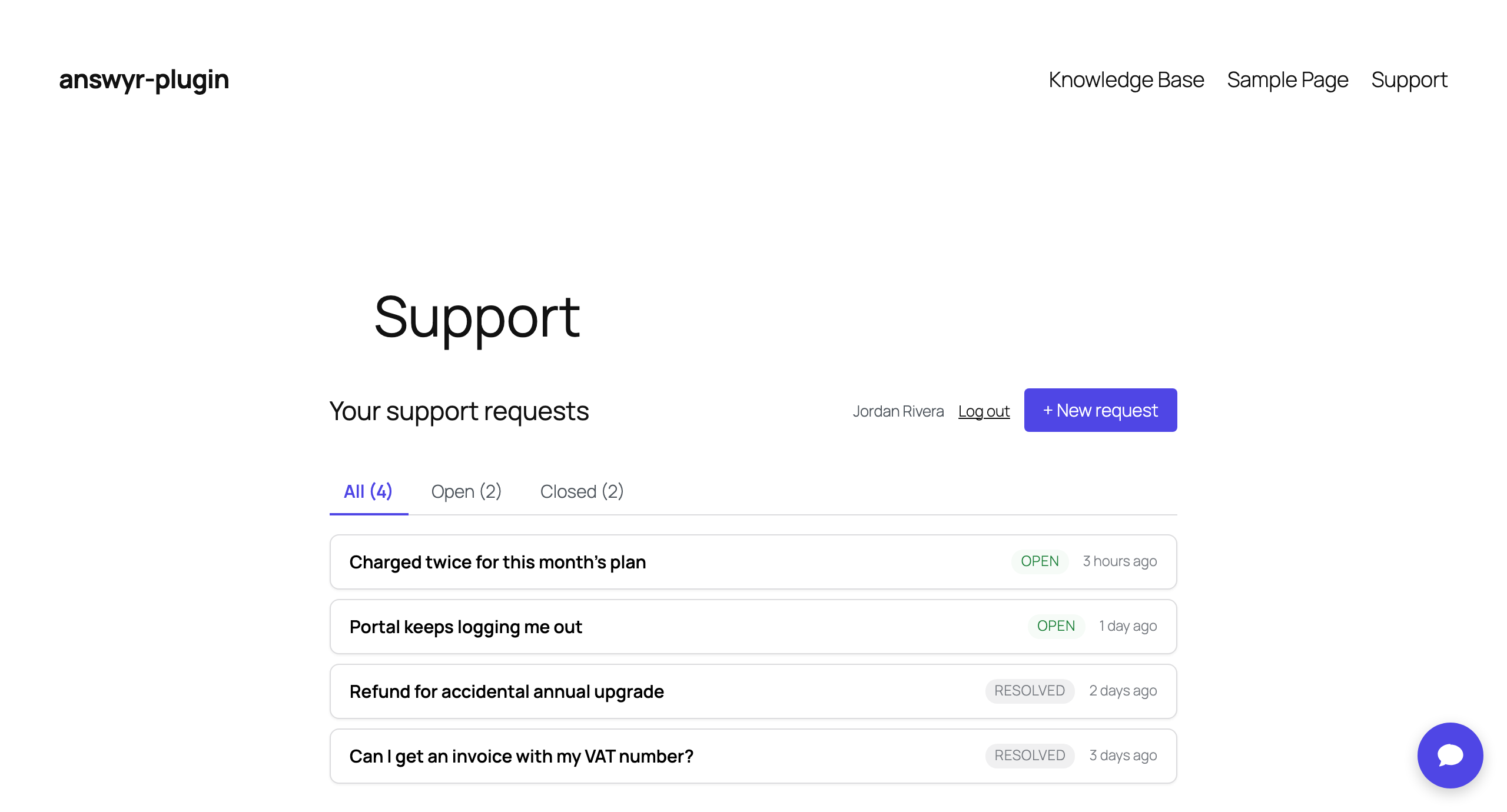
Customers sign in to create, view, and reply to tickets, filter Open vs Closed, and rate resolved tickets 👍/👎. An accent color themes the portal and chat while your wp-admin stays native.
Insights
A quick read on support
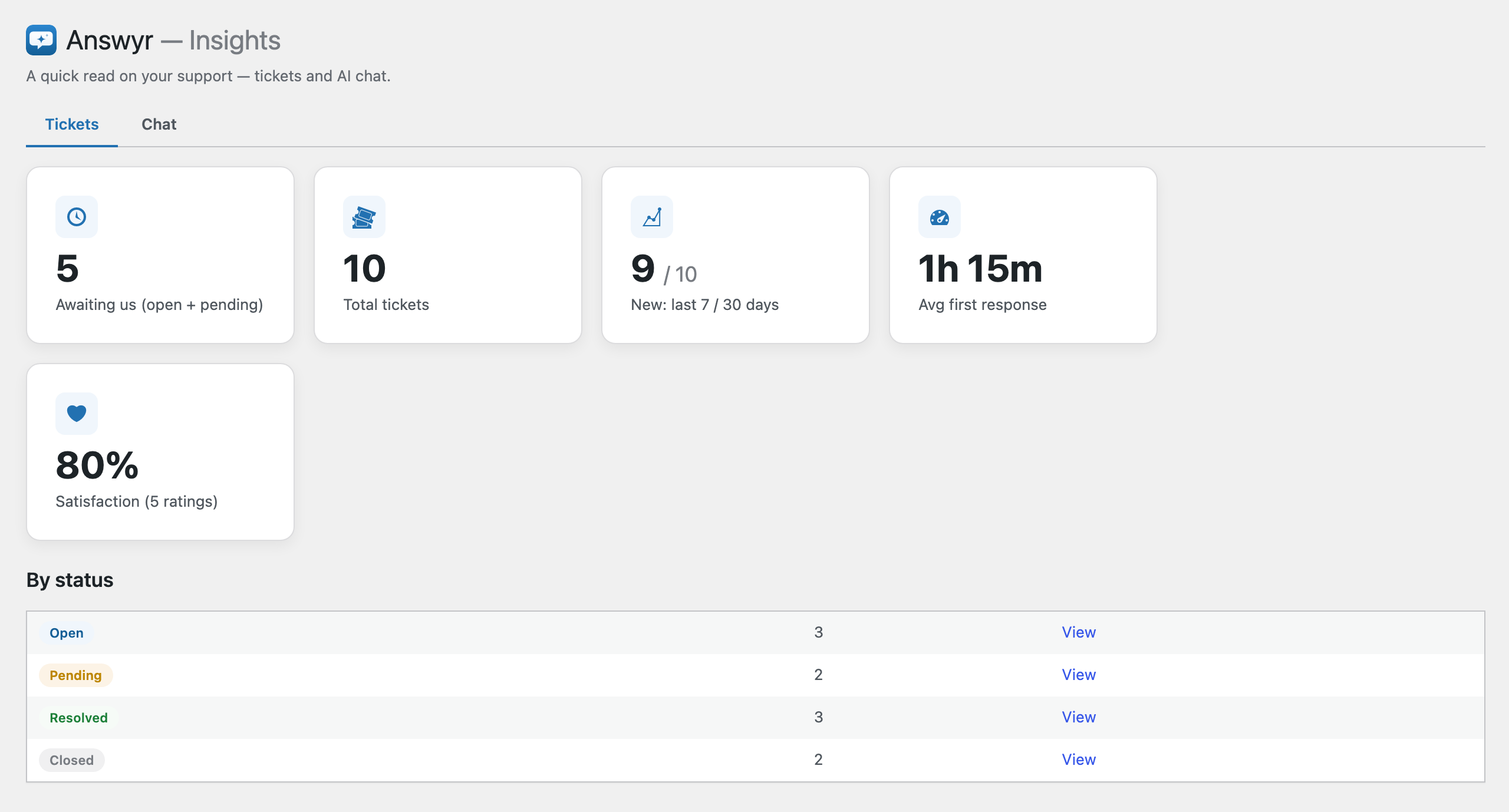
Volume, new tickets over 7/30 days, average first-response time, satisfaction, and a by-status breakdown. Advanced chat analytics — including which questions your docs failed to answer — arrive with Pro.
Settings
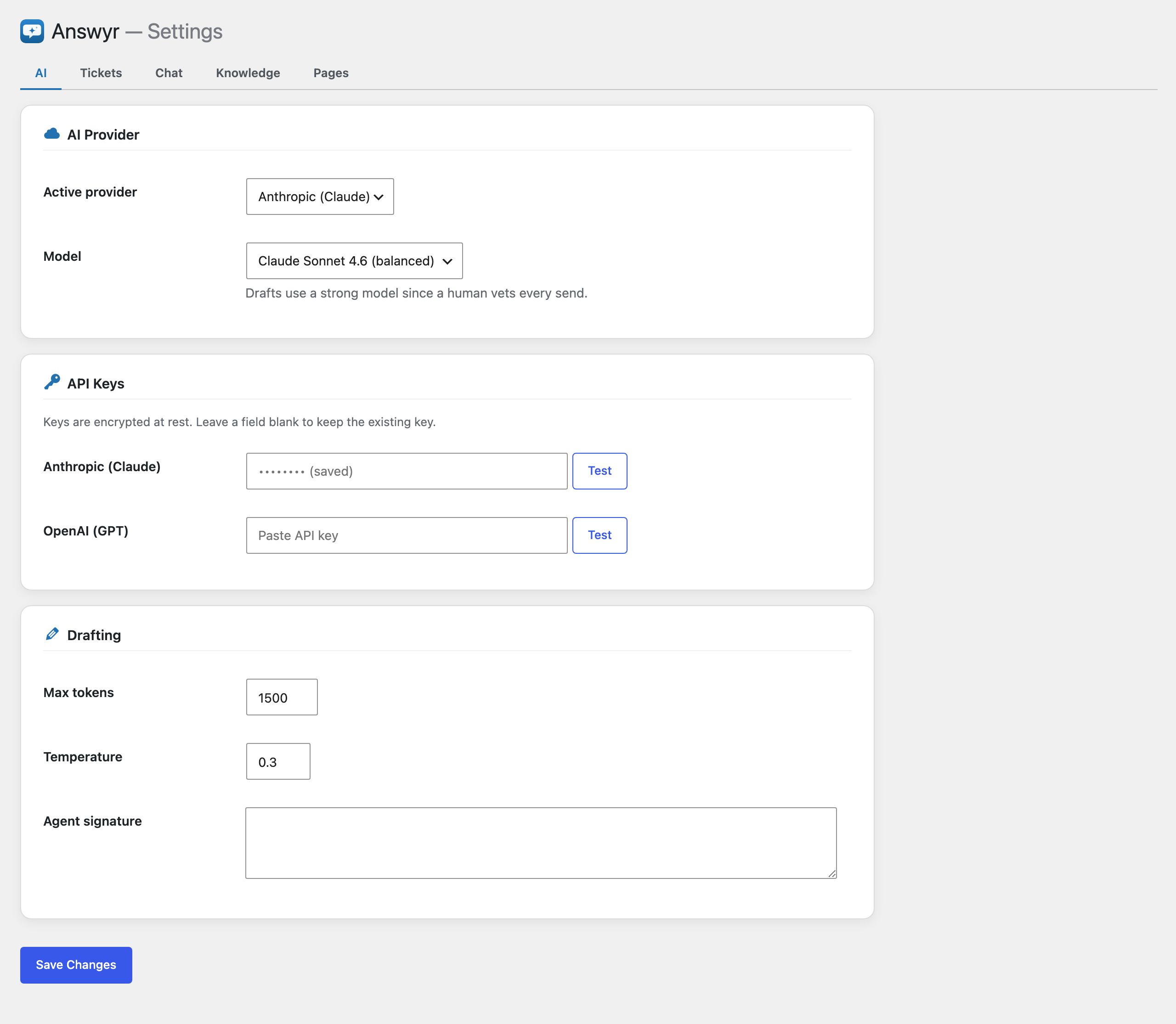
Bring your own AI provider
Configure Anthropic or OpenAI with your own key — encrypted at rest — and pick the active model. Saved replies, chat appearance, and one-click customer pages all live here.